
Loading


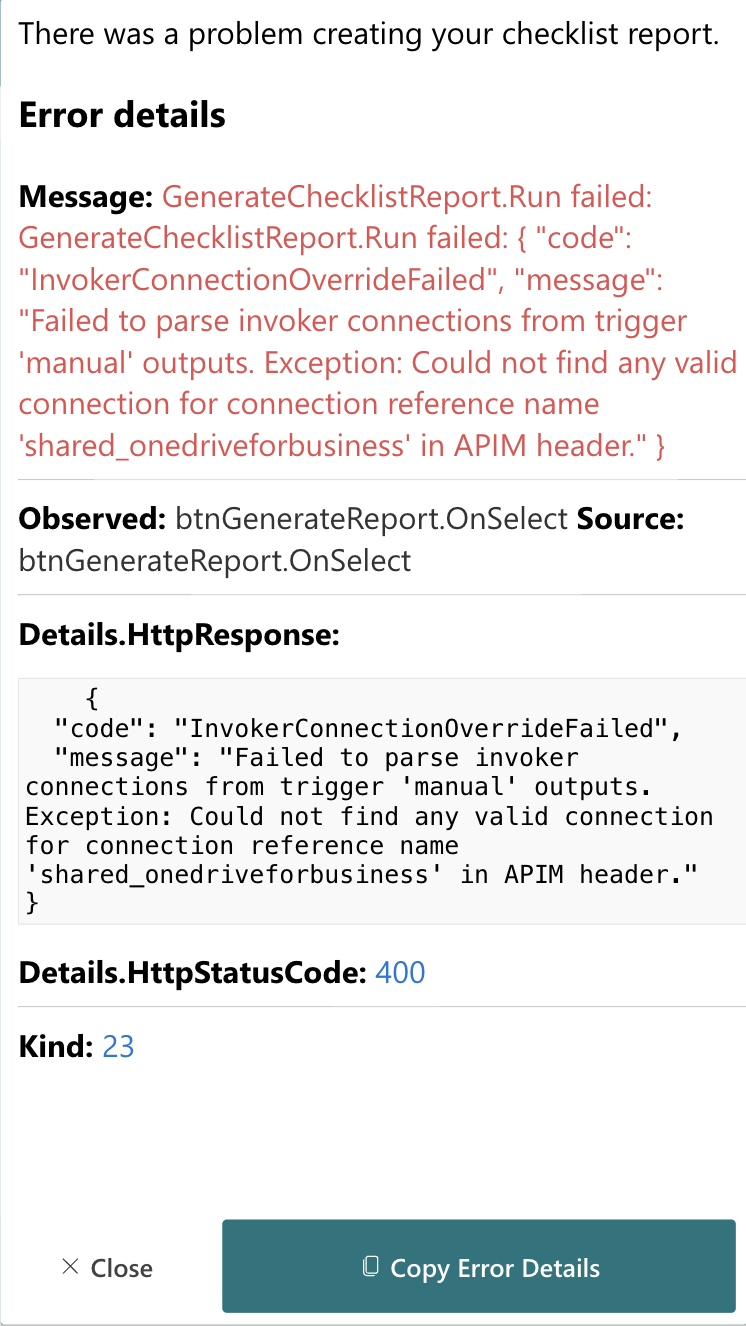
The conErrorDetails container in Power Apps is designed to present detailed information about errors from a Power Automate run. It provides a structured and formatted view of the error details, including the main error message, observed context, source, HTTP response details, and status code.
Users can interact with the error details through:
This container helps users quickly understand and manage errors generated during Power Automate runs, enhancing troubleshooting and support processes.
To call a Power Automate flow and handle errors or success, use the following logic:
IfError(
    YourFlowName.Run(YourFlowParameters),
    // In case there was an error calling the flow
    UpdateContext({
        locShowErrorDetails: true,
        locCustomErrorMessage: "There was a problem creating your checklist report.",
        locGeneratedError: FirstError
    }),
    // In case the flow worked, your logic
    true
)
No details available.